file types Notion named: Excel, Word, PowerPoint, PDF
2件の情報源をまとめました
★ 今日の注目記事
Notion AgentがExcel、Word、PowerPoint、PDFファイルを作れるように
2026年10月28日(MYT)、@NotionHQは、Notion Agent Notion’s built-in AI assistant that can read your workspace, answer questions, and take actions you approve.がコンピュータを使ってファイルを作成・編集できるようになったと投稿しました。Notionによると、Notionを離れることなく、チャットから完成したExcelのスプレッドシート、Wordの文書、PowerPointのスライド、PDFまで作れます。あるユーザーが数週間前の機能のようだと言うと、Notionは数週間前から使えるようになっていたが、あまり話していなかっただけだと答えました。
Your Notion Agent can now use a computer to create and edit files · Notion (@NotionHQ)Read ↗
Notion reply: it has been available for a few weeks · Notion (@NotionHQ)Read ↗
今日のその他の記事
Models
27 Oct
2026 date Notion said Terra is in the product
2件の情報源をまとめました
Models
GPT-6.1 TerraがNotionで利用可能に
2026年10月27日、@NotionHQは、前日のOpenAIの発表スレッドを引用して、GPT-6.1 Terra An OpenAI model aimed at cheaper, faster computer-use work; Notion said it is available inside Notion as of 27 Oct 2026.がNotionで利用可能になったと投稿しました。OpenAIはTerraを、ChatGPT Work、Codex、API(gpt-6.1-terra)向けの、より速く安いコンピュータ操作モデルと説明し、Agents' Last Examの比較で、トークンあたり約10分の1の価格でGPT-6 Astraと同等の品質だと主張しています。OpenAIのベンチマークの主張はベンダーのものとして扱ってください。Notionの投稿が確認しているのは製品内で使えることだけです。
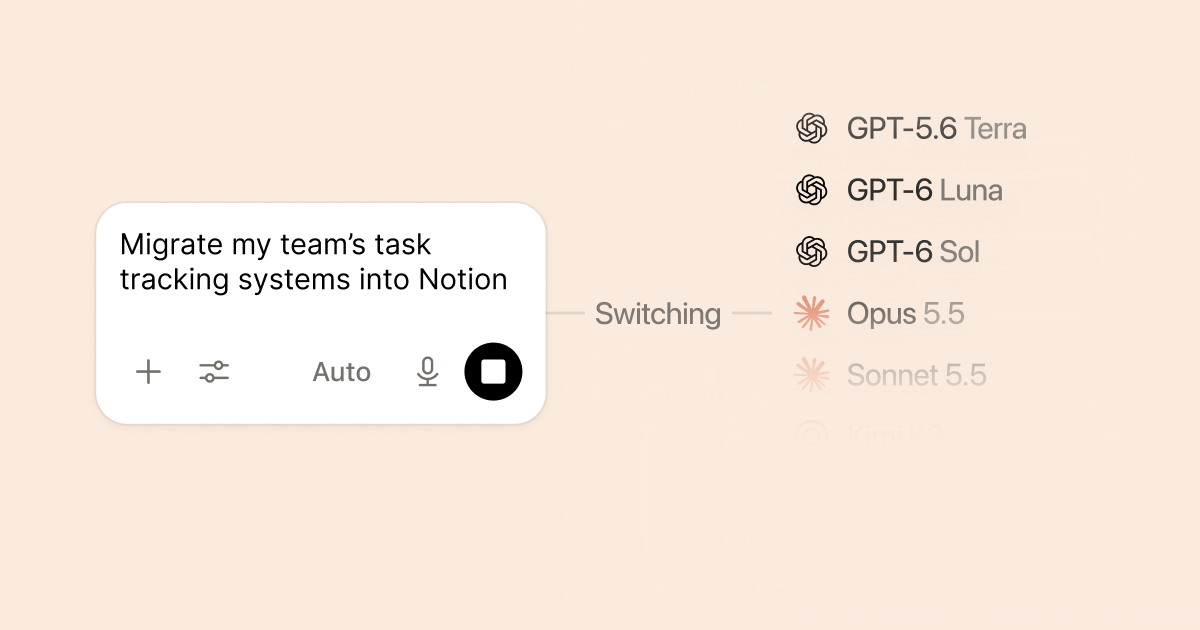
これは10月初めのNotion 3.8でのモデル追加に続くものです。クライアントが特にTerraを望まない限り、Auto Notion’s model router that picks which AI model to use for each task so you do not have to choose one yourself.を使いましょう。
GPT-6.1 Terra is now available in Notion · Notion (@NotionHQ)Read ↗
GPT-6.1 Terra: delivering fast and capable computer use at a lower price · OpenAI (@OpenAI)Read ↗
Product updates
50%
faster agent chats on mobile claimed in the 19 Oct AI post
4件の情報源をまとめました
Product updates
Meeting Notesウィジェット、ページの仮想化、iPhone Duo
2026年10月21日から24日にかけて、Notionとそのエンジニアは小さな新機能をまとめて投稿しました。AI Meeting Notes Notion’s feature that records a meeting, writes a summary, and can hand that summary to agents or workflows.はiOSとAndroidのホーム画面ウィジェットに対応しました(10月22日)。エンジニアのJohn Ryanは、メモリ使用量を減らすため、長いページはスクロールに合わせて描画されるようになった(ページの仮想化)と述べました。NotionはiPhone Duoへの対応(10月23日)と、任意のブロックを選択すると最後に誰または何が編集したかがわかるというヒント(10月21日)も投稿しました。10月24日の@NotionHQのスレッドは、これらをAuto Notion’s model router that picks which AI model to use for each task so you do not have to choose one yourself.、MCP Model Context Protocol — a way for AI tools to connect to apps like Notion to read context and take actions.、BYOK Bring Your Own Key — using your own AI provider API key inside Notion, offered in private alpha for Enterprise.と並べて振り返りました。
Your next meeting is two taps away from being transcribed · Notion (@NotionHQ)Read ↗
Faster Notion pages! (page virtualization) · John Ryan (@john_ryan_nyc)Read ↗
iPhone Duo. Now with a little more workspace · Notion (@NotionHQ)Read ↗
Tip: select any block to see who (or what) edited it last · Notion (@NotionHQ)Read ↗
Community & MCP
MCP
Notion’s label for its fastest-growing product
3件の情報源をまとめました
Community & MCP
MCPの記憶の同期が稼働する中、開発者がMemoriesを試す
10月19日、NotionはMCP Model Context Protocol — a way for AI tools to connect to apps like Notion to read context and take actions.を最も急成長している製品と呼び、記憶の同期が稼働中で、MCP経由のスキルもまもなく提供すると述べました。その後の数日間、コミュニティの投稿では、Notionを複数のエージェントで共有する記憶の保管場所として使う方法が探られました。10月27日、@GeorgeSiosiはNotionでMemories A community-discussed Notion feature for lasting agent context; Notion has confirmed MCP memory sync officially, while the Memories product name is still lightly documented.機能を見つけたと投稿し、手作りのMemoriesデータベースはまだ必要かと尋ねました。Notionは製品のFAQではなく、目の絵文字で返信しました。公式のMCPの記憶の同期に関する説明以外のMemoriesの詳細は、コミュニティの報告として扱ってください。
Just discovered this new Memories feature in @NotionHQ · Siosi (@GeorgeSiosi)Read ↗
A new AI agent starts from zero… shared brain in Notion · Ahmad Alkabra (@ahmadalkabra)Read ↗
Auto router
~5
Notion’s sample Auto credits for a simple task
2件の情報源をまとめました
Auto router
NotionがAutoをより詳しく解説
10月19日の発表に合わせて、Notionは「Notionのアップグレードされたモデルルーター、Auto Notion’s model router that picks which AI model to use for each task so you do not have to choose one yourself.の内側」を投稿しました。数千のシミュレートされた知識労働タスクでの評価について説明し、クレジット費用の例を示しています。Notionの表では、簡単なタスクはAutoで約5クレジット、Opus 5.5では約50クレジットです。この投稿はNotion独自の手法とスコアであり、独立したベンチマークではありませんが、クライアントにAutoを説明するのに役立ちます。
 Notion Agent